How to Remove VAT from a Price (Reverse VAT Formula)
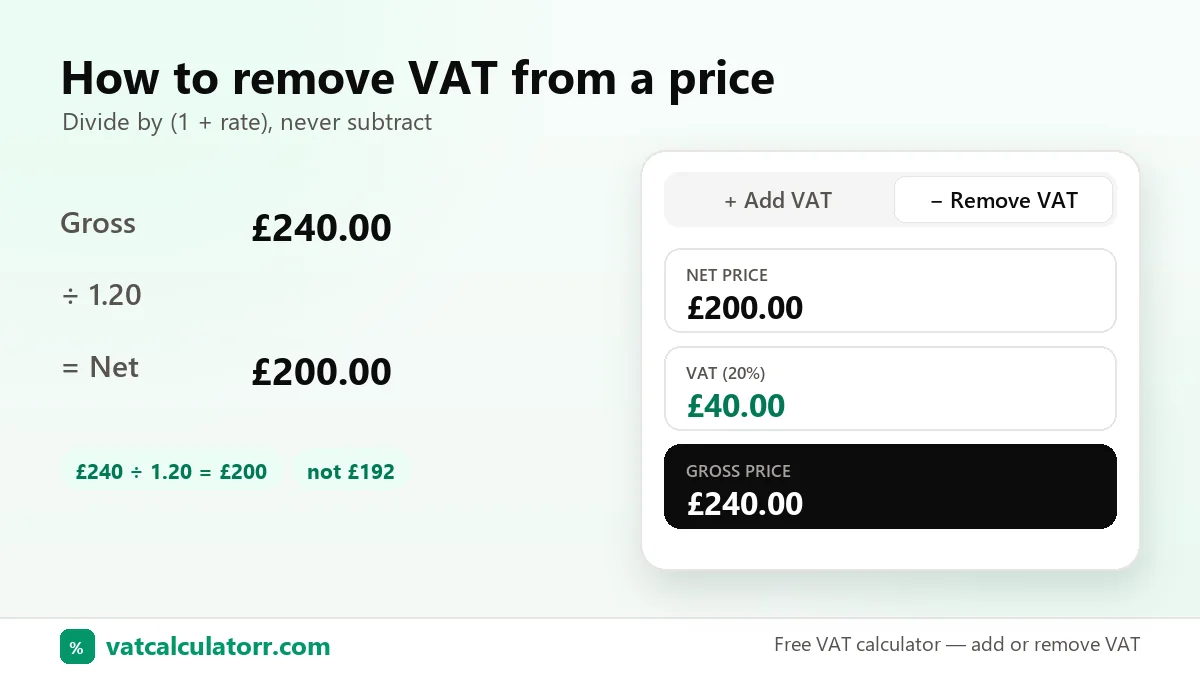
Quick answer: to remove VAT, divide the gross price by 1 plus the VAT rate as a decimal. At 20%, divide by 1.2: £240 ÷ 1.2 = £200 net, so the VAT is £40. Try it with the reverse VAT calculator.
The reverse VAT formula
Why subtracting 20% gives the wrong answer
VAT was calculated on the net price, not on the gross price. £240 minus 20% is £192, but £192 + 20% is only £230.40, not £240. Dividing by 1.2 gives £200, and £200 + 20% = £240, which checks out.
Examples
| Gross | Rate | Calculation | Net | VAT |
|---|---|---|---|---|
| £240 | 20% | 240 ÷ 1.20 | £200.00 | £40.00 |
| R 690 | 15% | 690 ÷ 1.15 | R 600.00 | R 90.00 |
| AED 84 | 5% | 84 ÷ 1.05 | AED 80.00 | AED 4.00 |
| €61.50 | 23% | 61.50 ÷ 1.23 | €50.00 | €11.50 |
The VAT fraction
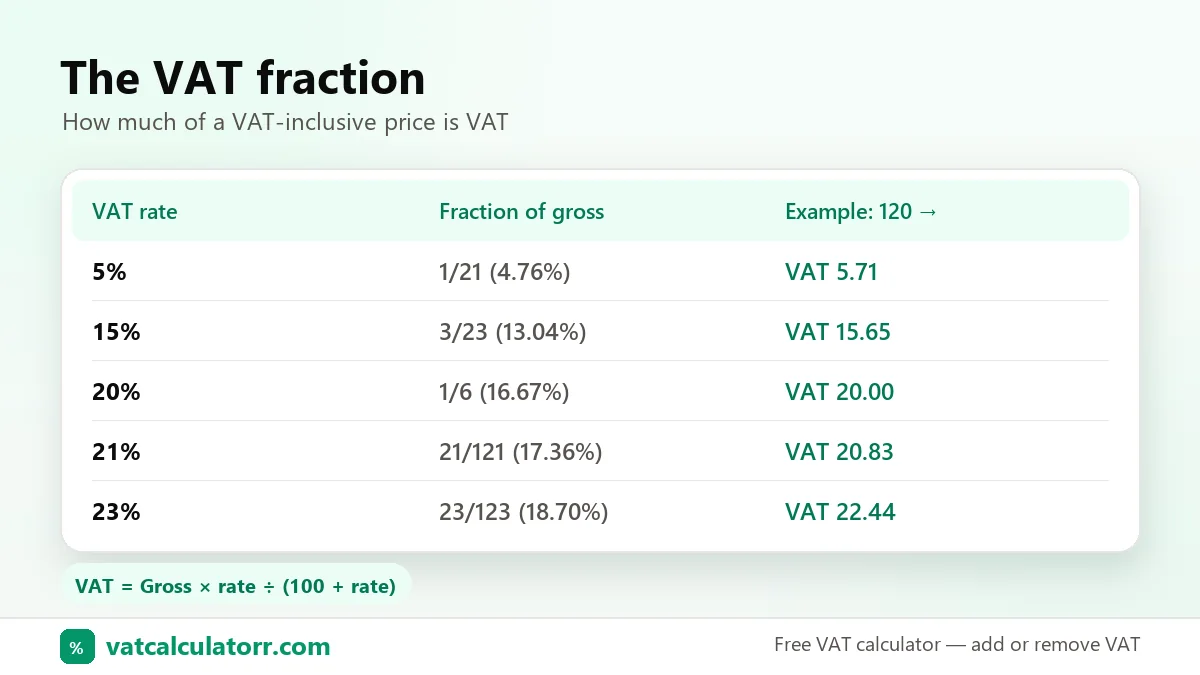
To find the VAT inside a gross price in one step, multiply by rate ÷ (100 + rate). At 20% that’s 20/120, or 1/6. At 15% it’s 15/115, or 3/23. At 5% it’s 5/105, or 1/21.
Skip the maths with the reverse VAT calculator, or compare VAT inclusive vs exclusive prices.
Sources: Official reference: HMRC’s VAT guide (Notice 700) covers VAT-inclusive pricing and the VAT fraction.